
How AI Can Make Expense Tracking Effortless
6 min read
Most people know they should track their expenses. The problem isn't knowing. The problem is doing it consistently. Every coffee, dinner, cab ride, shopping purchase, subscription, and shared bill becomes another transaction that needs to be entered manually. After a few days, people start skipping entries. After a few weeks, their expense tracker is no longer accurate.
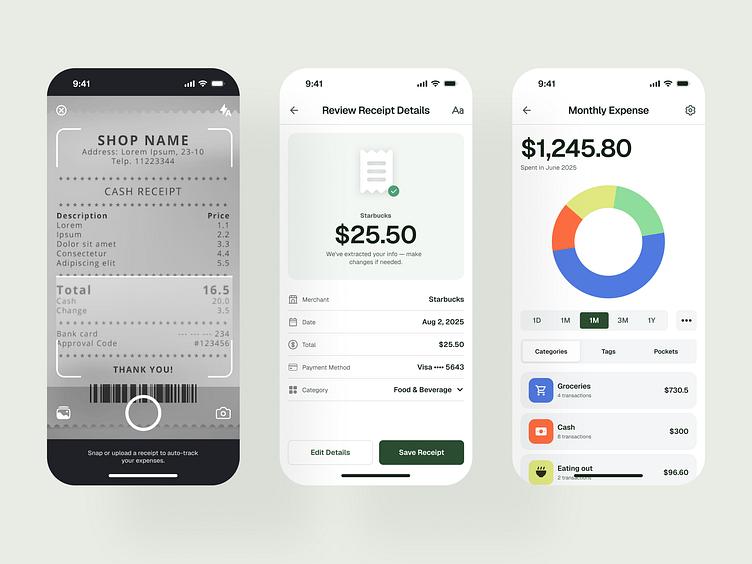
Most people know they should track their expenses.
The problem isn't knowing.
The problem is doing it consistently.
Every coffee, dinner, cab ride, shopping purchase, subscription, and shared bill becomes another transaction that needs to be entered manually.
After a few days, people start skipping entries.
After a few weeks, their expense tracker is no longer accurate.
But what if managing your expenses didn't require filling out forms?
What if you could simply tell your expense app what happened?


Instead of Entering Expenses, Just Describe Them
Imagine spending ₹650 on dinner.
A traditional expense tracker might ask you to:
-
Open the app
-
Tap Add Expense
-
Enter ₹650
-
Select a category
-
Select a date
-
Add a description
-
Save
With an AI-powered expense tracker, you could simply say:
"I spent ₹650 on dinner."
The application understands the message and prepares:
Dinner — ₹650
Food · Today
Then you review the information and confirm it.
That's it.


Money Is More Than Spending
Managing money isn't only about tracking purchases.
Sometimes you lend money to a friend.
"I gave Rahul ₹10,000."
Sometimes you borrow money.
"I borrowed ₹5,000 from Aman."
Sometimes someone pays you back.
"Rahul returned ₹2,000."
And sometimes you share a bill.
"Dinner was ₹1,800 with Rahul and Aman."
These are completely different financial activities.
An intelligent money assistant should understand the difference.
One Conversation Can Handle Different Financial Activities
Instead of making users choose a transaction type first, Splitly is designed around natural language.
Personal Expense
"I spent ₹800 on groceries."
Groceries — ₹800
Money Lent
"I gave Rahul ₹10,000."
Money Lent — ₹10,000
To Rahul
Money Borrowed
"I borrowed ₹5,000 from Aman."
Money Borrowed — ₹5,000
From Aman
Repayment
"Rahul returned ₹2,000."
Repayment — ₹2,000
From Rahul
The user doesn't need to understand which section of the application to open.
They simply describe what happened.
AI Should Assist You — Not Control Your Money
Financial data is different from ordinary information.
If an AI misunderstands a sentence, the result shouldn't automatically become a financial transaction.
That's why Splitly can follow a confirmation-based approach:
User message
     ↓
AI understands
     ↓
Transaction draft
     ↓
User reviews
     ↓
User confirms
     ↓
Validated backend
     ↓
Financial record
For example:
"I spent ₹1,200 on dinner."
Splitly prepares:
Dinner
₹1,200
Food · Today
[Edit] [Confirm]
Only after confirmation should the financial record be created.


Split Expenses Without the Spreadsheet
Shared expenses are another everyday problem.
Imagine going on a trip with friends.
You pay for:
-
Hotel
-
Dinner
-
Taxi
-
Tickets
-
Activities
At the end of the trip, everyone starts calculating who owes whom.
With Splitly, you can simply say:
"Hotel was ₹6,000. Rahul, Aman and I shared it equally."
The application can prepare:
Hotel — ₹6,000
You — ₹2,000
Rahul — ₹2,000
Aman — ₹2,000
You review the split before confirming it.


A Personal Ledger for Money You Lend and Borrow
Not every financial relationship belongs inside a group.
Maybe you lend Rahul ₹10,000.
Maybe Aman lends you ₹5,000.
Maybe someone pays you back a week later.
A personal ledger helps keep these relationships organized.
Money owed to you
Rahul — ₹10,000
Aman — ₹2,500
Total — ₹12,500
Money you owe
Priya — ₹3,000
Rohit — ₹1,500
Total — ₹4,500
Instead of relying on memory, WhatsApp messages, or scattered notes, your ledger keeps everything in one place.


A Permanent Identity for Your Money Network
Names aren't unique.
There can be hundreds of people named Rahul.
Device IDs aren't permanent either.
People change phones, reinstall applications, or use multiple devices.
That's why Splitly can use a permanent User Code for registered users.
For example:
EXP-7KD91X
Think of it like a school roll number or employee ID.
One account.
One permanent code.
Users can share their code when another person needs to reference them for a personal ledger.
This makes it possible to identify the correct person without depending only on their name or device.
Ask Questions About Your Money
An AI money assistant shouldn't only create transactions.
It should also help you understand your finances.
You could ask:
"How much did I spend on food this month?"
"How much do I owe Rahul?"
"Who owes me money?"
"What was my biggest expense last month?"
"How much did I spend during my Goa trip?"
"Where am I spending the most?"
Instead of searching through hundreds of transactions, you can simply ask.


Turn Your Expense Data Into Useful Insights
Tracking expenses is only the first step.
Once your financial information is organized, Splitly can help you understand your spending patterns.
For example:
Food — ₹8,200
Travel — ₹5,400
Shopping — ₹4,300
The assistant can then highlight meaningful changes:
"Your food spending increased this month compared with your recent average."
Or:
"Food is currently your largest spending category."
Or:
"You currently have ₹12,500 outstanding across four people."
The important part is that financial insights should be based on actual transaction data.
Help You Reduce Unnecessary Spending
A useful money assistant shouldn't simply tell you what you spent.
It should help you understand where you can improve.
For example:
"Your food-delivery spending increased significantly this month."
Instead of generic advice such as:
"Spend less."
The assistant can provide practical suggestions based on your actual spending patterns.
The goal is simple:
Track → Understand → Improve
What Happens When You Forget an Expense?
Forgetting to record an expense shouldn't make your monthly reports inaccurate.
Suppose it is August 19.
You remember:
"I forgot to add my July dinner. It was ₹800."
The expense actually happened in July.
So it should remain a July expense even though you entered it in August.
For example:
Expense date: July 28
Created: August 19
Amount: ₹800
This keeps your monthly reports accurate.
Every Month Starts Fresh
A new month should naturally have its own spending total.
For example:
July
₹25,400 spent
August
₹0 spent
Then August grows as new expenses happen.
If you remember a July expense later, it goes back into July instead of incorrectly increasing August spending.
This gives users a clean monthly view without deleting or resetting historical transactions.
The Future of Automatic Expense Tracking
Typing is only one way to tell Splitly about your financial activity.
A modern expense platform can eventually support multiple inputs:
Text
"Spent ₹500 on dinner."
Voice
"I paid ₹1,200 for groceries."
Receipt
Take a photo and extract the transaction.
Transaction notifications
Detect potential financial transactions where supported and permitted.
All of these can follow the same process:
Detect → Understand → Draft → Confirm → Record


The New Way to Think About Expense Tracking
An expense tracker shouldn't feel like accounting software.
It should feel like an assistant.
You shouldn't have to think:
Which screen do I need?
Which category should I select?
Where should I record this?
You should simply be able to say:
"What happened with my money?"
And tell the application.
The application should understand the rest.
Splitly: A Smarter Way to Manage Everyday Money
Splitly brings together:
Personal Expenses
Track what you spend.
Group Expenses
Split what you share with friends, family, and groups.
Personal Ledger
Track what you lend, borrow, and repay.
AI Assistant
Interact with your finances naturally.
The goal isn't to make users better at filling out expense forms.
The goal is to make expense tracking almost effortless.
You tell Splitly what happened.
Splitly helps organize it.
Your money. Your data. Your decisions.
Splitly
Manage money without the manual work.
Splitting something with other people right now? Create a group, share one link, and let everyone add what they paid as it happens.